
Support Hub
The service desk built for ERP and HCM sustainment teams. Capture every issue, hit every SLA, and give clients full visibility from first report to resolution.
Support Lost in Inboxes
One Hub for Every Ticket
Take the Tour
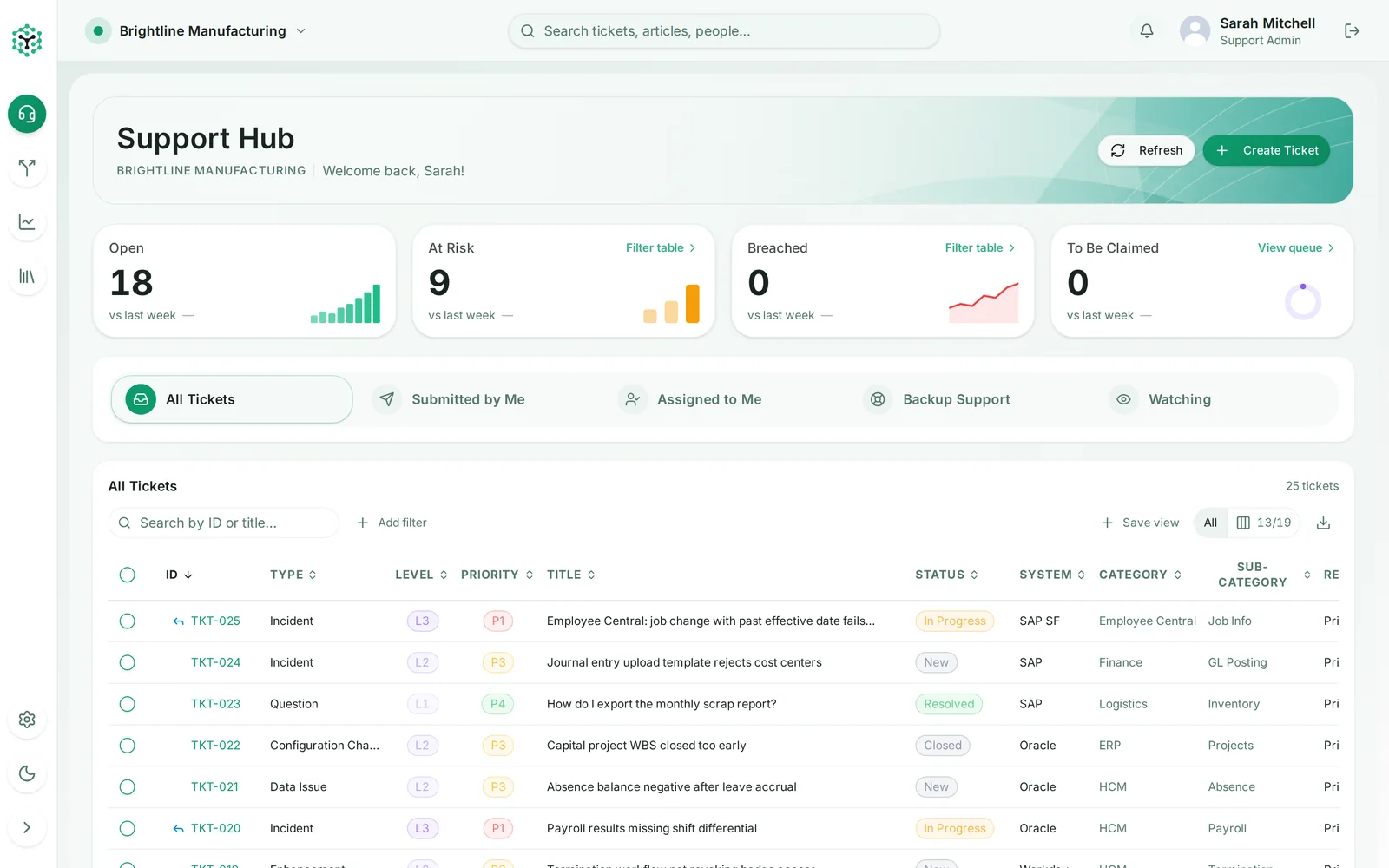
Real screens from Support Hub, shown with sample data from a demo manufacturing client.
Click the screenshot to enlarge
Better Tickets, Before They Reach Your Team
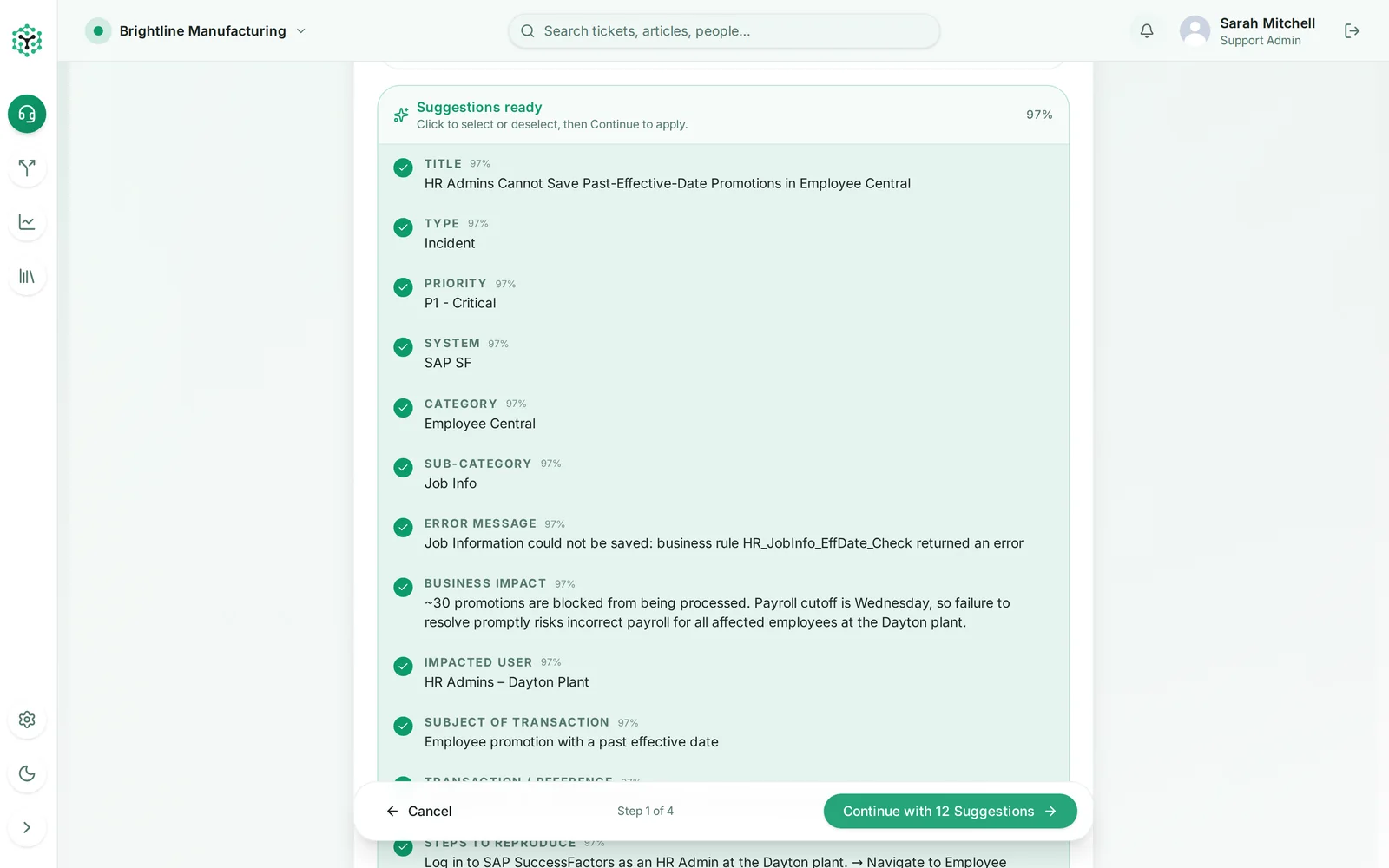
Most back-and-forth on a ticket comes from missing information. Support Hub reads the description and proposes the fields your team needs, so tickets arrive complete and routed.
Describe it once
Users write what broke in plain language. No hunting through dropdowns for the right system or category.
AI fills in the ticket
Title, type, priority, system, category, business impact, error message and steps to reproduce are suggested with a confidence score.
Quality coaching
The create flow flags vague or incomplete descriptions before the ticket reaches your team.
Routed from the start
Better data in means assignment rules and SLAs apply correctly from the moment a ticket is created.
Key Features
Everything an ERP support team needs to run a disciplined, measurable service desk
Unified ticket inbox
All, Submitted by Me, Assigned to Me, Backup Support and Watching views with saved filters, column choices and Excel export.
SLA and SLO tracking
Response and resolution targets by priority and level, business-hours calendars, pause states and at-risk alerts.
Smart assignment
Assignment rules, agent groups, backup support and a claim queue so the right person picks up every ticket.
AI-assisted ticket creation
Field suggestions and quality coaching turn a plain-language description into a complete, routable ticket.
Visual workflow builder
Model statuses, transitions, validations and screens, then map ticket types to the workflow they should follow.
Knowledge Hub
Categorized, tagged articles with version history and helpfulness feedback, suggested while tickets are created.
Email to ticket
Connect support mailboxes so inbound email becomes tickets and replies stay threaded on the ticket record.
Real-time collaboration
Live ticket updates, internal notes, @mentions, canned responses and in-app notifications keep everyone in sync.
Reports and dashboards
Configurable reports for volume, status, priority, SLA attainment, agent workload and resolution time.
Customer satisfaction
Automated CSAT and NPS surveys after resolution, with results rolled into your reports.
Multi-client workspaces
Run support for several clients from one team, each with its own configuration, branding and data separation.
Roles, audit and integrations
Role-based access, a full ticket audit trail, API keys and webhooks to connect Support Hub to the rest of your stack.
Ready to Run Support From One Hub?
See Support Hub with your own systems, priorities and SLAs in a guided demo.
Book a Demo